Trips, birthdays, slow mornings, your little shop. Tap a card to watch the edit.
Travel recap
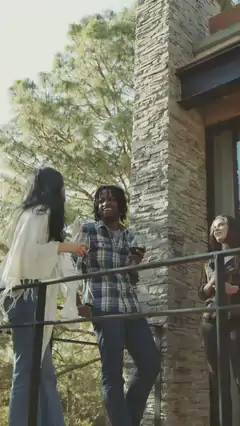
Coastlines · airports · street food · sunsets
Birthday
Candles · confetti · balloons · cheers
Vlog
Talk to camera · coffee · morning routine
Small business promo
Latte art · flowers · packing orders · bakery
Clip 03AutoCutCaption · Pop
Pick clips. Add a song. Done.
AutoCut finds the best moments and cuts them to the beat, with a different transition at every cut. Add a title if you like.
Not quite it? Tap Try again for a new edit.
0:12
0:08
0:21
0:06
0:15
0:09
0:11
Your ReelExport
Analyzing your media…
Captioning on device
● In the app
Clip 04Auto CaptionsCaption · Spotlight
Captions that write themselves.
Speech turns into captions right on your iPhone, even offline. Choose from 14 styles and preview each one on your own clip.
Tap a style
+ 7 more styles in the app
Works offline
On your iPhone
14 styles
Clip 05Background RemoverCaption · Focus
Take yourself anywhere.
Cut yourself out of any photo or video in one tap, then drop the cutout on a new background.
New background
Drag the handle to compare.
BeforeAfter
● In the app
Clip 06The full editorCaption · Flash
Trim. Split. Layer. Animate.
A real timeline that fits your thumb. Layer up to 20 clips, then undo or redo every edit.
00:00
Screen recording
Timeline
Trim, split, reorder and layer up to 20 clips.
Wipe
Transitions
30 of them: blends, wipes, motion, glitch and flash.
Original
Effects & filters
40+ looks, like Neon, Film Burn, Cinematic, Noir and Cyberpunk.
Feelgood
let’s goText · Stickers
Text & stickers
Animated text, stickers and shapes.
Keyframes
Keyframes
Animate text, stickers and shapes over time.
Mask · Circle
Picture in Picture
Masks, borders and blend modes.
1×
Speed
Speed
Slow it right down or speed it up.
ReverseForward
Reverse
Play any clip backwards, sound included.
Crop
Crop, rotate & flip
Frame every shot just right.
Drag the edge to trimTap to add a keyframe
Tips
Interactive tips
Learn the timeline as you go, from first trim to first keyframe.
01 / 10 Timeline
Clip 07Music & voiceCaption · Swing
Turn it up. Talk it over.
Add songs from your music library or Files, or take the sound from any video. Then record a voice-over and try it with 14 voice effects.
Demo track
Demo trackPlays only when you tap
0:00 / 0:00
0:00Song
Music library
Files
Sound from any video
Voice effects tap to hear
+ 10 more in the app
Up to 4 seconds. Your recording never leaves this browser.
● In the app
Clip 08CollageCaption · Pop
Nine shots. One frame.
Put up to 9 photos and videos in one frame. Pick from 100+ layouts, then tune the spacing, corners, shapes and background, with colors picked straight from your photos.
Layout
Shape
Background, picked from your photos
Clip 09ShareCaption · Spotlight
Sized right. Shared everywhere.
Start in the right size for Reels, TikTok, Shorts, YouTube, Snapchat, square or landscape. Export in HD, 2K or 4K, then post straight to Instagram or TikTok, or send it to WhatsApp, YouTube, Facebook and more.





 0:12
0:12 0:08
0:08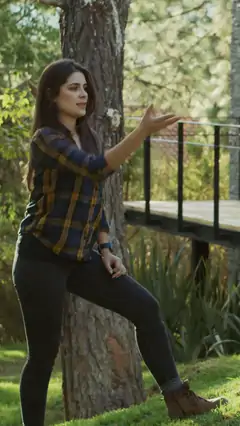 0:21
0:21 0:06
0:06 0:15
0:15 0:09
0:09 0:11
0:11